How do I add a Reader?
Updated: 11/15/2023
Article #: 18
You have to be an Author, Editor or Purchaser to add a Reader.
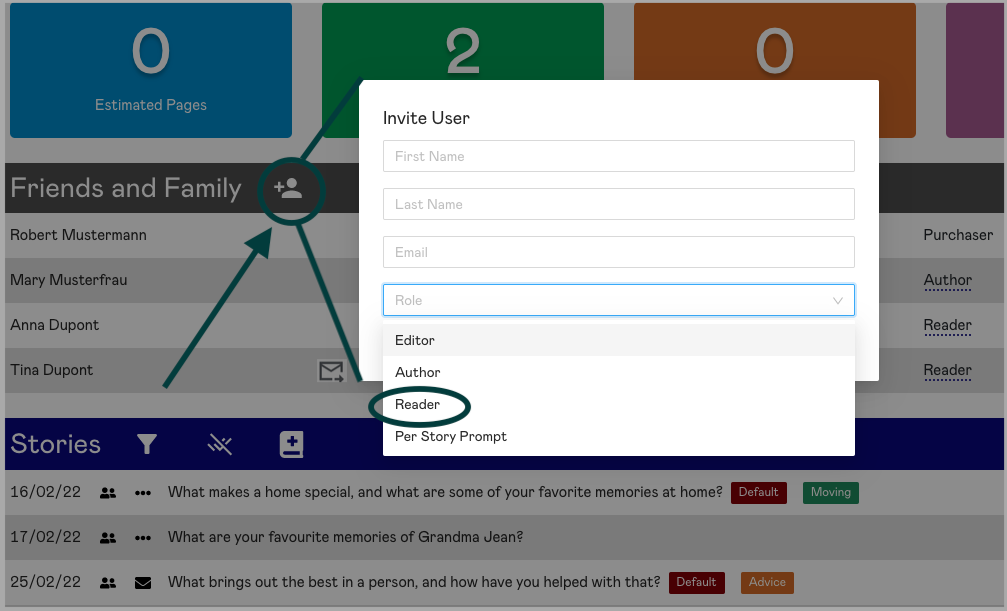
At the top of the Friends and Family section, click the add user icon. This brings up the Invite User dialog box. Enter the person's name and email address. If you are an Editor or Purchaser, select Reader from the role drop-down list. If you're an Author, you can skip that last part.
Just click Send Invite and the invited Reader will receive an email inviting them to join in!
|
Rate this Topic:
|
|||
|
