You're ready to write a story? Great! Starting to do so is easy and can be done in a couple ways.
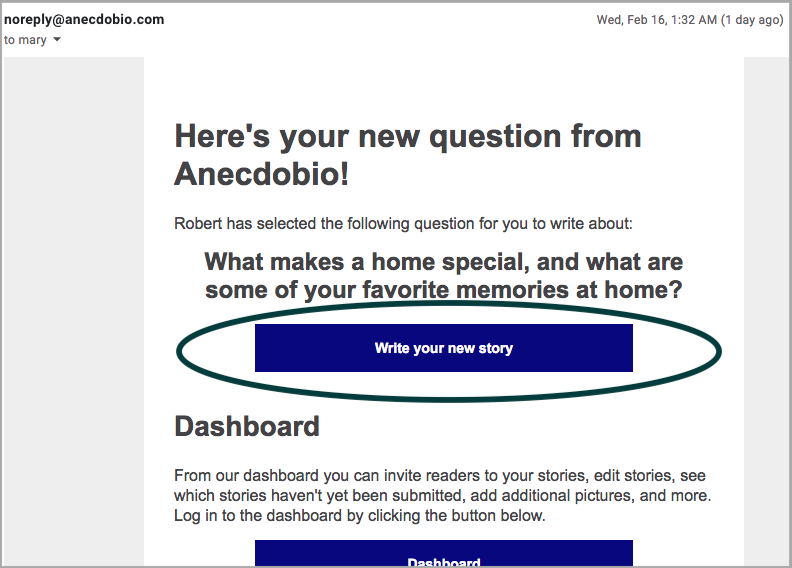
You should have received an email entitled "Your new story prompt from Anecdobio is available!" letting you know that you have been sent a new story prompt. If you don't see the email in your inbox, check your spam folder. The easiest way to start writing your new story is to click on the "Write your new story" button. You will be prompted to log in to the dashboard and then you will get straight to the edit story dialogue box.
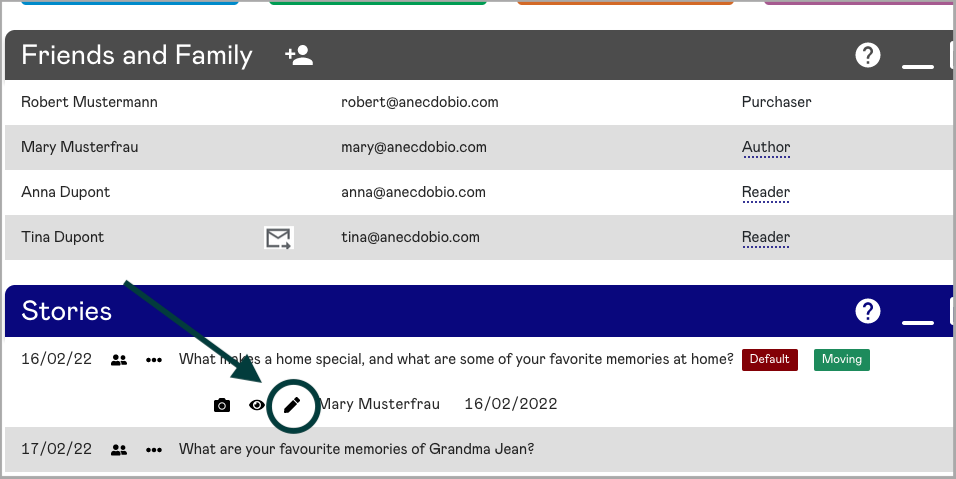
Another way to start writing your story is to log in to the dashboard directly. In the Stories section of the dashboard, find the story prompt to which you wish to respond. Click on the story prompt and then on the edit pencil icon next to your name. This brings up the edit story dialogue box for you to starting writing your story and uploading your photos.
That's it!
|
Rate this Topic:
|
|||
|
