As a Purchaser or Editor, how do I start writing a story?
Updated: 11/30/2023
Article #: 36
Sometimes a Purchaser or an Editor may also want to contribute a story. If that's applicable to you, doing so is easy.
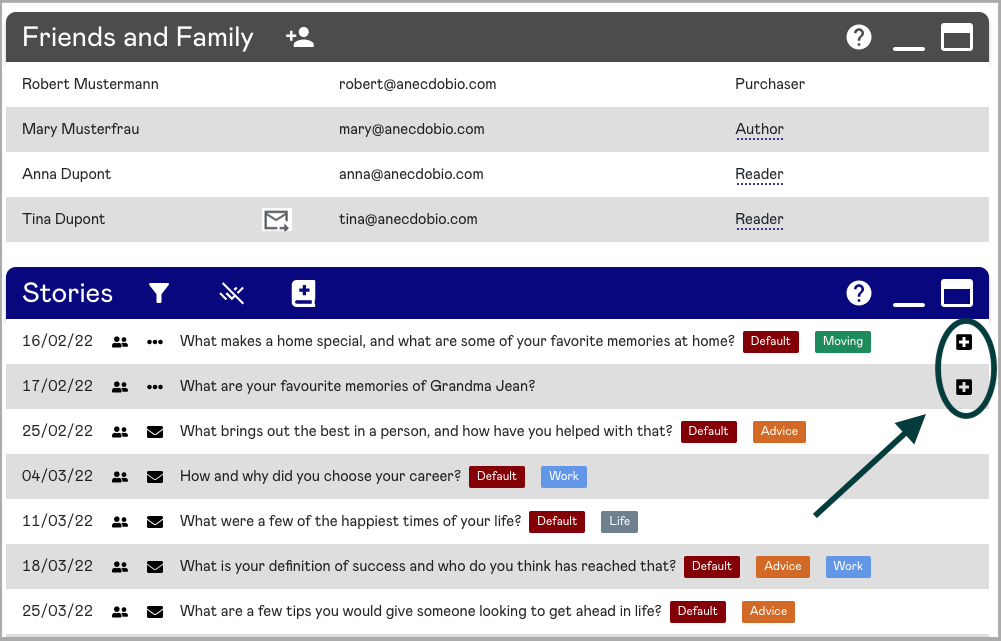
On the right-hand side of each story prompt is a "+" icon. Click on this "+" icon to bring up the edit story dialogue box. From here you can write your story and add photos, just like an Author would.
When you're done, click "Save" to make more changes or additions later, or click "Save and Submit" to submit your story and let Readers know via email that your story is ready to be shared.
|
Rate this Topic:
|
|||
|
